
Download CapCut – Free Video Editor, AI‑Powered Effects & Secure Cloud Storage
CapCut has become the go‑to video editing platform for creators who want a powerful, free tool without the steep learning curve of professional suites. Developed by ByteDance, the same company behind TikTok, CapCut blends an intuitive interface with a surprisingly deep feature set—ranging from basic cuts and transitions to AI‑driven text‑to‑image generation. Whether you’re crafting a TikTok reel, an Instagram story, a YouTube intro, or a short promotional ad, CapCut delivers everything you need in one secure, cloud‑backed package. In this review we’ll explore the app’s core capabilities, walk through the installation process, check platform compatibility, weigh the pros and cons, and answer the most common questions from new users. By the end you’ll know exactly why CapCut is a standout free editor and how to get the most out of it for your next video project.Feature‑Rich Editing Tools That Rival Premium Software
CapCut’s biggest selling point is the sheer amount of high‑quality tools it offers at zero cost. While many free editors limit you to basic trimming, CapCut includes a professional‑grade suite that covers virtually every stage of post‑production. Below is a curated feature list that illustrates why the app feels like a premium desktop solution, even on mobile.
- Multi‑track timeline: Drag‑and‑drop clips, audio, and overlays onto separate layers for precise control.
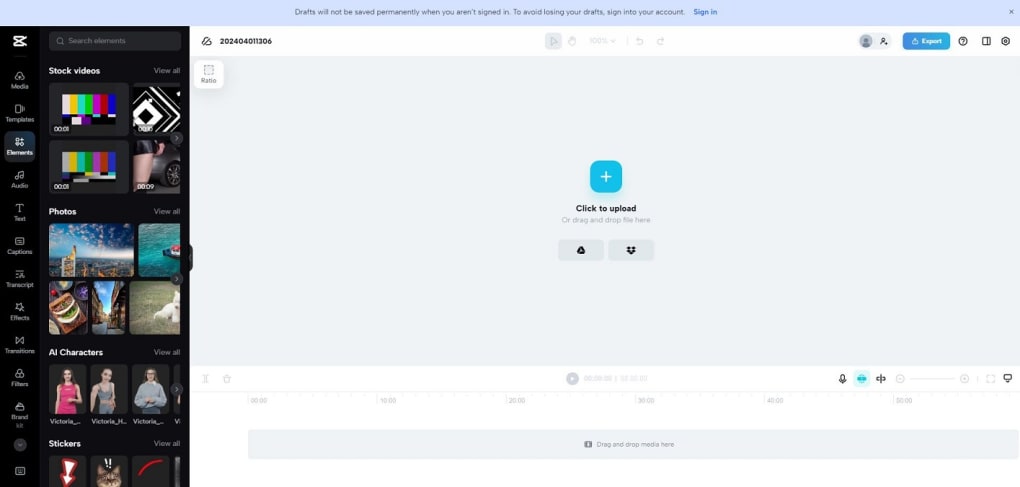
- AI‑powered text‑to‑image (SDXL‑Lightning): Generate high‑resolution images in 2‑4 steps, perfect for quick thumbnails or background assets.
- Auto‑caption & text‑to‑speech: Supports 93 languages, automatically creates subtitles, and converts written text to natural‑sounding voiceovers.
- Advanced filters & effects: Over 300 filters, stickers, transitions, and the popular “Gender Swap” filter for TikTok.
- Speed‑ramping & reverse playback: Create dramatic slow‑motion or fast‑forward sequences without exporting multiple clips.
- Keyframe animation: Animate position, opacity, scale, and rotation for smooth motion graphics.
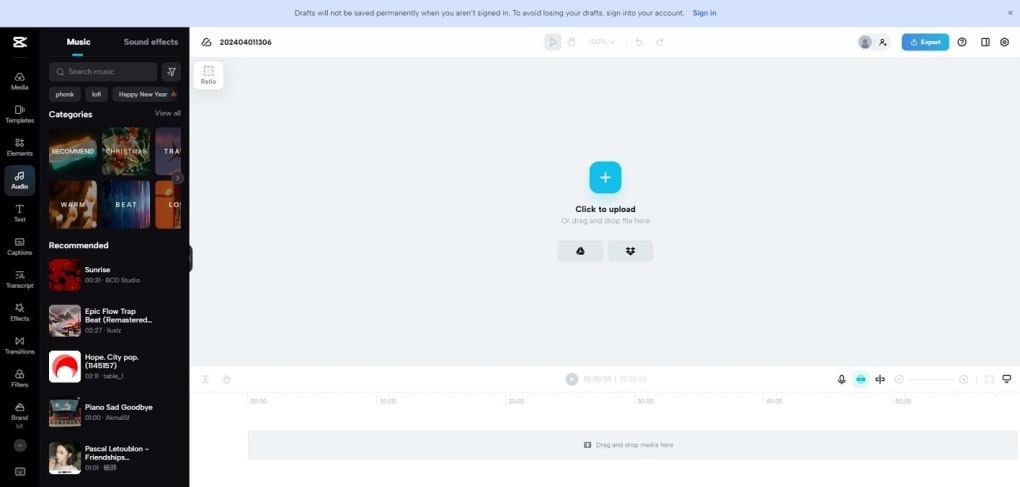
- Built‑in music library: Royalty‑free tracks sorted by mood, genre, and tempo, plus a simple beat‑matching tool.
- Secure cloud storage: AES‑128 encrypted project backup with SSL/HTTPS transmission ensures your drafts stay private.
- Export options: Export up to 4K resolution, 60 fps, and choose from MP4, MOV, or GIF formats.
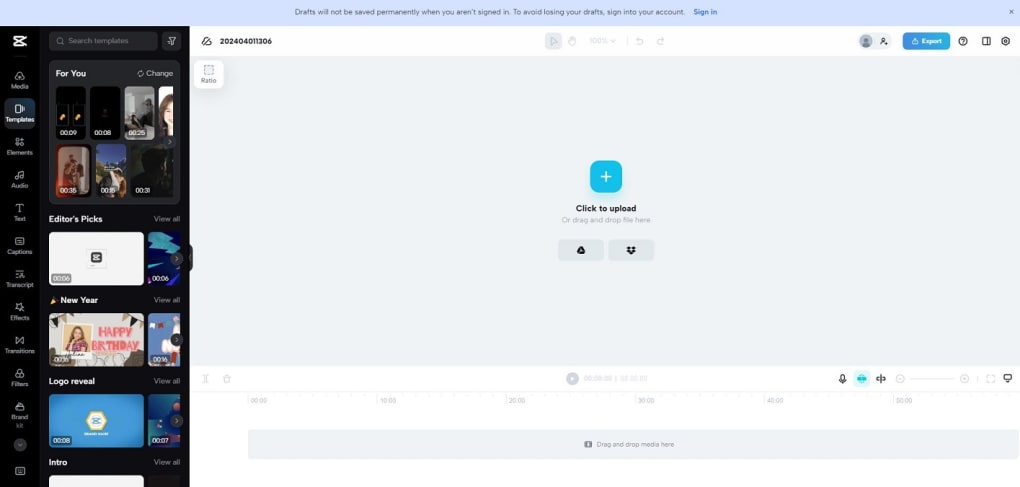
- Template marketplace: Pre‑made templates for trends, ads, and tutorials reduce production time to minutes.
Beyond the checklist, CapCut continuously rolls out updates. The recent AI video generation beta lets you input a short script and receive a short clip with AI‑generated visuals—a feature still rare among free editors. While the AI‑generated video currently lags behind OpenAI’s Sora in realism, it’s a promising glimpse of future capabilities that keep CapCut ahead of the curve.
Installation, Setup & Everyday Usage
Getting started with CapCut is intentionally straightforward. The app is available for Windows, macOS, Android, and iOS, and each platform follows a similar installation flow.
Step‑by‑Step Installation
- Visit the official CapCut website or your device’s app store (Google Play, Apple App Store, Microsoft Store).
- Click “Download” or “Get”. The installer is under 200 MB, so it downloads quickly even on modest connections.
- On Windows/macOS, run the installer and follow the on‑screen prompts. On mobile, the app installs automatically after download.
- Launch CapCut and sign in with a Google, Apple, or ByteDance account. This creates a secure profile and activates cloud backup.
After the first launch, you’ll be greeted by a clean home screen that displays recent projects, template suggestions, and a “Create New Project” button. Clicking it opens the timeline view where you can import media from your device or directly from the cloud library.
Typical Workflow for a Social Media Reel
1. Import clips: Drag videos from your gallery into the timeline. CapCut automatically detects resolution and suggests a matching export setting.
2. Trim & reorder: Use the intuitive handles to cut unwanted sections. Snap‑to‑grid guides help maintain rhythm, essential for short‑form content.
3. Add transitions: Tap the transition icon between two clips and choose from “Slide”, “Fade”, “Glitch”, or the trending “Spin” effect. The preview updates instantly.
4. Enhance with AI tools: Select “AI Image” to generate a background graphic or “Auto‑Caption” to add subtitles in your target language. Adjust timing manually if needed.
5. Layer audio: Import a royalty‑free track from the built‑in library, then fine‑tune volume levels with keyframes for fade‑ins and fade‑outs.
6. Export: Hit the export button, pick your resolution (up to 4K), and choose the platform (TikTok preset automatically adds a 9:16 aspect ratio).
The entire process can be completed in under ten minutes for a typical 30‑second reel, which is why creators gravitate toward CapCut for rapid content cycles.
Platform Compatibility & System Requirements
CapCut runs natively on the four major operating systems, with each version optimized for its environment. Below is a quick compatibility matrix:
- Windows 10/11 (64‑bit): Requires at least 4 GB RAM, 500 MB free disk space, and a DirectX 11‑compatible GPU for hardware acceleration.
- macOS 11 (Big Sur) and later: Needs 4 GB RAM, 500 MB storage, and a Metal‑compatible graphics card.
- Android 6.0+ (ARM64): Minimum 2 GB RAM; recommended 3 GB for smooth AI processing.
- iOS 13+ (iPhone & iPad): Requires 2 GB RAM; works best on devices with A12 Bionic or newer for AI features.
Because CapCut stores projects in the cloud, you can start editing on a mobile device and finish on a desktop without losing any work. The synchronization is instantaneous, provided you have an active internet connection. However, note that the free tier limits individual video length to 15 minutes—longer projects require a subscription or splitting into multiple parts.
Pros, Cons & Expert Review
Pros
- Zero cost: All core features, including AI tools and cloud backup, are free.
- User‑friendly UI: Minimal learning curve, ideal for beginners and seasoned creators alike.
- Rich effect library: Hundreds of filters, stickers, and transitions keep content fresh.
- AI integration: Text‑to‑image, auto‑caption, and video generation give a competitive edge.
- Secure cloud storage: AES‑128 encryption protects your drafts from unauthorized access.
- Cross‑platform workflow: Seamless project transfer between mobile and desktop.
Cons
- 15‑minute video limit: Longer productions need workarounds or a paid plan.
- Heavy CPU usage for AI features: Older devices may experience lag during image generation.
- Limited export formats: No native support for MOV with alpha channel or advanced codecs like ProRes.
- Occasional ad placement: Free version shows non‑intrusive promotional banners for premium templates.
Overall Rating: 4.5/5 – CapCut delivers a professional‑grade editing experience without the price tag, making it a top choice for creators on a budget.
Frequently Asked Questions (FAQ)
Is CapCut really free, or are there hidden costs?
CapCut offers a completely free tier that includes all major editing tools, AI features, and cloud backup. The only paid option is a premium subscription that removes ads and raises the video‑length limit.
Can I use CapCut on a Windows PC?
Yes. CapCut has a native Windows client that works on Windows 10 and 11 (64‑bit). Minimum requirements are 4 GB RAM, 500 MB free disk space, and a DirectX 11‑compatible GPU.
How secure is my video data in the cloud?
All uploads are transmitted via SSL/HTTPS and stored using AES‑128 encryption. Access requires authentication through your linked Google, Apple, or ByteDance account, ensuring a high level of privacy.
What languages does the auto‑caption feature support?
CapCut’s auto‑caption supports 93 languages, making it easy to add subtitles for global audiences without manual transcription.
Can I edit videos longer than 15 minutes?
The free version caps individual video length at 15 minutes. To edit longer projects you’ll need to split the video into segments or upgrade to the premium plan, which raises the limit.
Conclusion – Why You Should Download CapCut Today
If you’re searching for a video editor that combines ease of use, a robust feature set, and modern AI capabilities—all without a subscription fee—CapCut stands out as the most compelling option on the market. Its cross‑platform compatibility ensures you can work wherever you are, while secure cloud storage protects your creative assets. Though the 15‑minute limit may be a drawback for feature‑length projects, the majority of social‑media creators, marketers, and small‑business owners will find the free tier more than sufficient.
Ready to start editing instantly? Free download now and unleash your next viral video with CapCut’s powerful, AI‑enhanced toolbox.



.png)



